Menu
Home
Post Something
Forums
Current Activity
New posts
Search forums
What's new
New posts
Latest activity
News & Features
The Marketplace
Cars for Sale
Engine and Performance
Chassis and Wheels
Exterior and Body
Interior and Cockpit
ICE - In Car Entertainment
Car Shops and Services
Toys and Wares
All Other Stuff
Jobs and Vacancies
Looking For
Members
Log in
Register
What's new
Search
Search
Search titles only
By:
Current Activity
New posts
Search forums
Menu
Log in
Register
Reply to thread
See what others are reading now! Try Forums >
Current Activity
Home
Forums
Main Forums
General Talk
Computer Hard Drive Recovery Ideas
JavaScript is disabled. For a better experience, please enable JavaScript in your browser before proceeding.
You are using an out of date browser. It may not display this or other websites correctly.
You should upgrade or use an
alternative browser
.
Message
<blockquote data-quote="sakuraguy" data-source="post: 1580880" data-attributes="member: 6441"><p><strong>Computer Hard Drive Recovery Ideas</strong></p><p></p><p>If you have never faced the loss of data, you still need to take precautions that your server, hard disk or RAID stay in good health. Also, you need to have some sort of plan in mind to help you in case there is any problem. Data losses, if and when they happen, take time to amend and may be expensive The primary symptoms of data losses are:</p><p></p><p>• Error messages telling you that the device is not recognized</p><p>• Previously accessible data is suddenly nowhere to be seen.</p><p>• Scraping or rattling sound in the drives especially hard disks.</p><p>• Hard drive may not spin and may be still.</p><p>• Computer or hard drive does not function at all, like no booting is possible.</p><p></p><p>Mostly data loss is due to drive failure. Most hard drives rotate at very high frequency and that causes physical wear and tear. Sometimes the corrupted Master Boot record may be the culprit also.</p><p></p><p>Data Recovery tools and softwares</p><p>1. Download hard drive data recovery software tools for FAT NTFS</p><p><a href="http://www.stellarinfo.com/download.htm" target="_blank">http://www.stellarinfo.com/download.htm</a></p><p></p><p>2. Recover Deleted Files</p><p>http://www.recovermyfiles.com</p><p></p><p>3. Data Recovery Software.File Recovery & Undelete Software.FAT.NTFS</p><p><a href="http://www.bitmart.net" target="_blank">http://www.bitmart.net</a></p><p></p><p>4. NTFS.com Data Recovery Software. NTFS Reader for DOS NTFS DOS</p><p><a href="http://www.ntfs.com/products.htm" target="_blank">http://www.ntfs.com/products.htm</a></p><p></p><p>5. File Recovery and Data Recovery Software. Hard Drive recovery utility</p><p><a href="http://www.data-recovery-software.net" target="_blank">http://www.data-recovery-software.net</a></p><p></p><p>6. Hard drive data recovery software</p><p><a href="http://www.grc.com/sr/spinrite.htm" target="_blank">http://www.grc.com/sr/spinrite.htm</a></p><p></p><p>7. Hard Drive Data Recovery Software - Hard Drive Repair</p><p><a href="http://www.highergroundsoftware.com" target="_blank">http://www.highergroundsoftware.com</a></p><p></p><p>8. Data Recovery Software Hard Drive repair- RAID data recovery tools</p><p>http://www.dtidata.com</p><p></p><p>Data recovery is in fact the science of putting the file system back together so that data files can be accessed again. Every operating system has a file system, which nothing but a unique method of indexing and keeping track of the files.In case of lost data, file systems can be very complex, and that's why it can be so difficult to locate missing files.</p><p></p><p>The best data recovery companies have developed proprietary tools to work with all of the main file systems in use today. Recovery engineers are internally trained to work on data recovery, working with computer hardware for a number of years and learning the low-level specifics of every type of file system.</p><p></p><p>Data recovery can either be worked out with help of software and some simple steps. This is usually the case when the drives are not physically damaged. In case they are damaged, you need to send the drives to the specialists who will take care of the data and work it out for you.</p><p></p><p>To recover hard drive data, lost due to physical damage, you need to decide the optimality as the costs of data recovered need to be balanced with the cost of data involved. In case, the data lost is not critical, just take a lesson from this failure. Replace the faulty drives and start backing up. There should be adequate drives and a schedule so that regularly you create copies of your data.</p><p></p><p>Data recovery is possible using softwares also. In case you detect any data loss, try to first locate some data recovery softwares from your technically inclined friends. They may have some disk recovery softwares that may actually be used to get your data back. Log on to the site, <a href="http://www.recoverdatafiles.com" target="_blank">http://www.recoverdatafiles.com</a> and see what data recovery softwares are ranked best and suit you. These softwares usually will not be free but they may access the data and recover it for you. Some other data recovery techniques are listed below:</p><p></p><p>• Loss of Database files: In case of MICROSFT EXCHANGE and SQL data failure, you should never used for direct operations. Keep a copy of the database files and then start the work on the copies not on main files.</p><p></p><p>• The health of drive: If you have by any means determined that drive is healthy, you still might recover that data all by yourself. Try using the recovery softwares or using the drives as slaves etc.</p><p></p><p>• Locate logical corruption: This can be easily found by booting from the floppy or using the F disk and then viewing the partitioning information.</p><p></p><p>• Server Crash: In case you had been working on server and it has crashed, never try data recovery on the same server.</p><p></p><p>• RAID Drive Crash: Replace the RAID data drive that failed, never ever reuse it.</p><p></p><p>• RAID Drives: Label the multiple drives in RAID array.</p><p></p><p>• Utilities: Do not try to run Volume Defragmenters and Volume Repair Utilities on the suspect drives.</p><p></p><p>• Other utilities: Also avoid the use of Volume Repair utilities if there has been power outrage and or your file system looks corrupted. This must be done only by people who are extremely confidant and are technically wise.</p><p></p><p>• Keep information: Always keep the following information at hand:</p><p></p><p>Size of the drive </p><p>Operating system (i.e. Windows 98, Windows XP etc.) </p><p>Situation of failure (what happened just before the drive stopped working) </p><p>Is the drive recognized by the computer or not </p><p>• Boot Drive malfunction: In case the drive that has crashed also had the OS, things are tricky. In this case try to get the Recovery Software with boot functions that ways the computer will boot from the software and then you will be able to see your data files and copy it to safe drives.</p><p></p><p>• Avoid physical cleaning of drives: Never attempt shaking, cleaning the data drive on your own. This may cause more physical harm.</p><p></p><p>• Do not remove drive covers: Hard drive cover are best left to specialists. Never try taking them off yourself. This requires special equipment and is nest left to technicians in labs.</p><p></p><p>Jeffrey Meier offers these Computer Hard Drive Recovery Tips and more tips at http://www.harddriverecoveryinfo.com This is just part of the information library loacted at Jam727 Enterprises at http://www.Jam727.com</p><p></p><p>Hope its good find and request stick it from mod & admin's if it helps.</p><p></p><p>(c) 2006 WestCoast Technology. - Taken from permission wc.tamilwest.com</p><p></p><p></p><p>Thanks.</p></blockquote><p></p>
[QUOTE="sakuraguy, post: 1580880, member: 6441"] [B]Computer Hard Drive Recovery Ideas[/B] If you have never faced the loss of data, you still need to take precautions that your server, hard disk or RAID stay in good health. Also, you need to have some sort of plan in mind to help you in case there is any problem. Data losses, if and when they happen, take time to amend and may be expensive The primary symptoms of data losses are: • Error messages telling you that the device is not recognized • Previously accessible data is suddenly nowhere to be seen. • Scraping or rattling sound in the drives especially hard disks. • Hard drive may not spin and may be still. • Computer or hard drive does not function at all, like no booting is possible. Mostly data loss is due to drive failure. Most hard drives rotate at very high frequency and that causes physical wear and tear. Sometimes the corrupted Master Boot record may be the culprit also. Data Recovery tools and softwares 1. Download hard drive data recovery software tools for FAT NTFS [url]http://www.stellarinfo.com/download.htm[/url] 2. Recover Deleted Files http://www.recovermyfiles.com 3. Data Recovery Software.File Recovery & Undelete Software.FAT.NTFS [url]http://www.bitmart.net[/url] 4. NTFS.com Data Recovery Software. NTFS Reader for DOS NTFS DOS [url]http://www.ntfs.com/products.htm[/url] 5. File Recovery and Data Recovery Software. Hard Drive recovery utility [url]http://www.data-recovery-software.net[/url] 6. Hard drive data recovery software [url]http://www.grc.com/sr/spinrite.htm[/url] 7. Hard Drive Data Recovery Software - Hard Drive Repair [url]http://www.highergroundsoftware.com[/url] 8. Data Recovery Software Hard Drive repair- RAID data recovery tools http://www.dtidata.com Data recovery is in fact the science of putting the file system back together so that data files can be accessed again. Every operating system has a file system, which nothing but a unique method of indexing and keeping track of the files.In case of lost data, file systems can be very complex, and that's why it can be so difficult to locate missing files. The best data recovery companies have developed proprietary tools to work with all of the main file systems in use today. Recovery engineers are internally trained to work on data recovery, working with computer hardware for a number of years and learning the low-level specifics of every type of file system. Data recovery can either be worked out with help of software and some simple steps. This is usually the case when the drives are not physically damaged. In case they are damaged, you need to send the drives to the specialists who will take care of the data and work it out for you. To recover hard drive data, lost due to physical damage, you need to decide the optimality as the costs of data recovered need to be balanced with the cost of data involved. In case, the data lost is not critical, just take a lesson from this failure. Replace the faulty drives and start backing up. There should be adequate drives and a schedule so that regularly you create copies of your data. Data recovery is possible using softwares also. In case you detect any data loss, try to first locate some data recovery softwares from your technically inclined friends. They may have some disk recovery softwares that may actually be used to get your data back. Log on to the site, [url]http://www.recoverdatafiles.com[/url] and see what data recovery softwares are ranked best and suit you. These softwares usually will not be free but they may access the data and recover it for you. Some other data recovery techniques are listed below: • Loss of Database files: In case of MICROSFT EXCHANGE and SQL data failure, you should never used for direct operations. Keep a copy of the database files and then start the work on the copies not on main files. • The health of drive: If you have by any means determined that drive is healthy, you still might recover that data all by yourself. Try using the recovery softwares or using the drives as slaves etc. • Locate logical corruption: This can be easily found by booting from the floppy or using the F disk and then viewing the partitioning information. • Server Crash: In case you had been working on server and it has crashed, never try data recovery on the same server. • RAID Drive Crash: Replace the RAID data drive that failed, never ever reuse it. • RAID Drives: Label the multiple drives in RAID array. • Utilities: Do not try to run Volume Defragmenters and Volume Repair Utilities on the suspect drives. • Other utilities: Also avoid the use of Volume Repair utilities if there has been power outrage and or your file system looks corrupted. This must be done only by people who are extremely confidant and are technically wise. • Keep information: Always keep the following information at hand: Size of the drive Operating system (i.e. Windows 98, Windows XP etc.) Situation of failure (what happened just before the drive stopped working) Is the drive recognized by the computer or not • Boot Drive malfunction: In case the drive that has crashed also had the OS, things are tricky. In this case try to get the Recovery Software with boot functions that ways the computer will boot from the software and then you will be able to see your data files and copy it to safe drives. • Avoid physical cleaning of drives: Never attempt shaking, cleaning the data drive on your own. This may cause more physical harm. • Do not remove drive covers: Hard drive cover are best left to specialists. Never try taking them off yourself. This requires special equipment and is nest left to technicians in labs. Jeffrey Meier offers these Computer Hard Drive Recovery Tips and more tips at http://www.harddriverecoveryinfo.com This is just part of the information library loacted at Jam727 Enterprises at http://www.Jam727.com Hope its good find and request stick it from mod & admin's if it helps. (c) 2006 WestCoast Technology. - Taken from permission wc.tamilwest.com Thanks. [/QUOTE]
Insert quotes…
Verification
Post reply
The Marketplace Latest
MITSUBISHI / FE658 (RB/BK S2S)
Started by
PIstonHeads
Chassis and Wheels
Perodua Alza gear up body kit
Started by
jeff6126
Exterior and Body
brake caliper spray
Started by
jeff6126
Exterior and Body
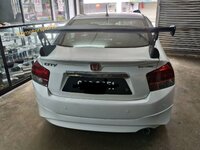
Honda city Mugen gtwing spoiler
Started by
jeff6126
Exterior and Body
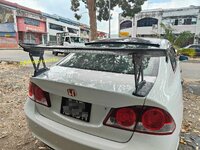
Honda Civic FD JSracing GTwing spoiler
Started by
jeff6126
Exterior and Body
Honda civic FC varis GTwing spoiler
Started by
jeff6126
Exterior and Body
JSracing GTwing spoiler
Started by
jeff6126
Exterior and Body
Proton saga drive68 bodykit
Started by
jeff6126
Exterior and Body
Perodua Bezza projectR body kit
Started by
jeff6126
Exterior and Body
Honda city gm6 drive68 body kit
Started by
jeff6126
Exterior and Body
Posts refresh every 5 minutes
halfcuts & evo stuff for sale!
have below stuff for sale..please call to deal directly, items ready for viewing, just arrived yesterday from Japan:
1. Mitsu Evo4 complete halfcut, with bodypart, spoiler, doors, brembo
2. Nissan RB26 complete...
The inexpensive used car, Lancer
Thank you for reading our message.
Do export Japan cars to worldwide from Japan.
Do you know Yahoo Auctions, the biggest on-line private auction in Japan?
We believe this the cheapest place you can buy used cars...
Changing Mountings?
Hi guys,
Any idea where can I find good qualities engine mounting and gearbox mounting for FD? What are the price like?
Recent Posts
Recommendation: Turbocharger for 4B11 N.A engine
Started by
Mitevo7
Car Modification
2026 Vios HEV launched with Local Battery Assembly - UMW Toyota Motor
Started by
The_Mechanic
News and Features
SPPF: The Future of Automotive Surface Protection - A Technical Overview
Started by
The_Mechanic
News and Features
Upping Wira 1.5 MMC performance
Started by
Nyfka
Car Modification
Volvo Malaysia Launches Locally Assembled ES90 Electric Sedan
Started by
The_Mechanic
News and Features
Search
Online now
Enjoying Zerotohundred?
Log-in
for an ad-less experience
Home
Forums
Main Forums
General Talk
Computer Hard Drive Recovery Ideas